

Nihao China is China UnionPay’s one-stop app for overseas visitors. It combines QR payments, bus and metro codes, an English map, translation, exchange rates, tax-refund information, visa services and emergency contacts. This guide takes you from download to daily use, with a real interface image at every step.
What to prepare before you start
| Prepare | Why it matters |
|---|---|
| Passport | Identity verification may request a clear image of the information page. |
| International phone number or email | Used for login and verification codes; enable roaming for international SMS. |
| Supported bank card | Use Tour Balance top-up or an overseas-issued UnionPay card, depending on your card. |
| 3-D Secure access | Your home bank may approve the card through SMS or its banking app. |
| Backup payment | Carry a physical bank card and RMB cash for deposits, rural areas or network problems. |
Step 1: Download the official app
Search for “Nihao China” in the Apple App Store or Google Play. Confirm that the developer is China UnionPay / China UnionPay and look for the panda icon. Avoid modified APK files or downloads from unofficial forums because payment setup can involve passport and card data.
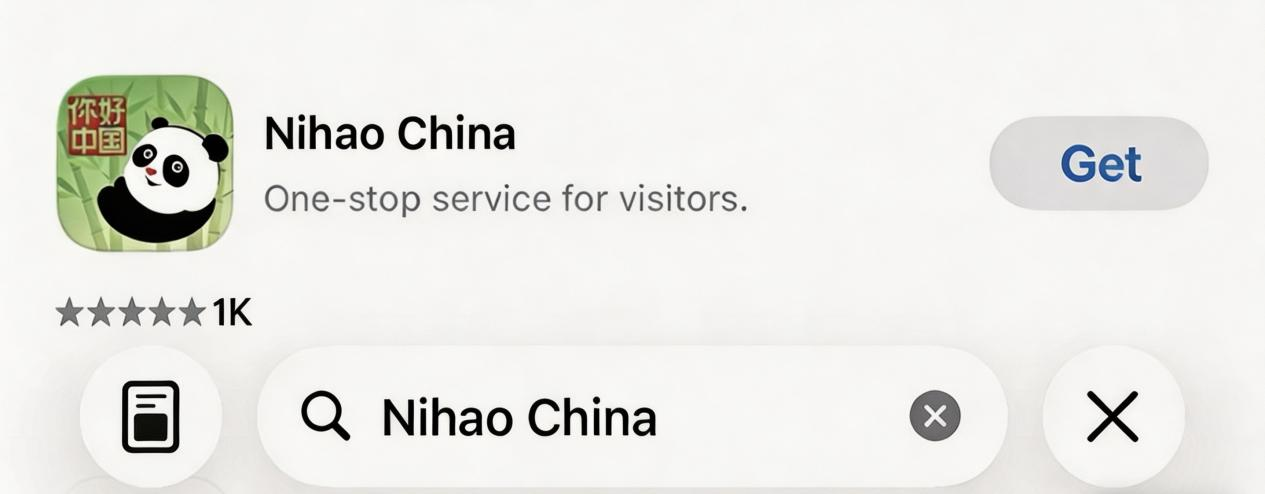
Official download links: Apple App Store and Google Play.
Step 2: Register and log in
Open the app and choose an international mobile number, email or Apple ID. Enter the verification code and accept the Terms of Service and Privacy Policy. If an SMS does not arrive, check the country code and roaming, switch between mobile data and Wi-Fi, then use email or Apple ID instead.
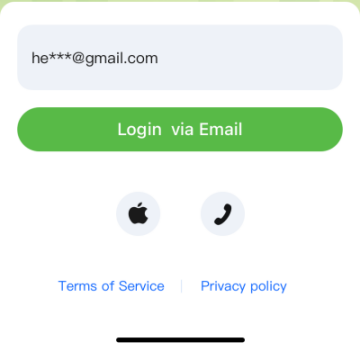
Use a secure email account that you can access while travelling. Do not share a verification code or payment PIN with a driver, shop assistant or unofficial “helper”.
Step 3: Activate Tour Wallet
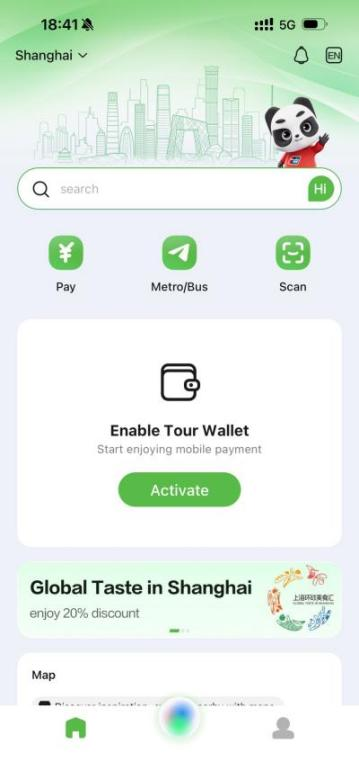
On the home screen, find Enable Tour Wallet and tap Activate. On the next screen, tap Enable under Tour Balance and follow the identity and SMS checks. If passport verification appears, photograph the information page in good light with all edges visible and no glare. Follow the app prompt to create a payment PIN.
Step 4: Choose how to fund the wallet
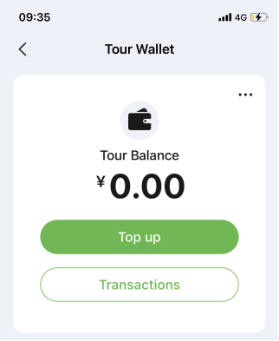
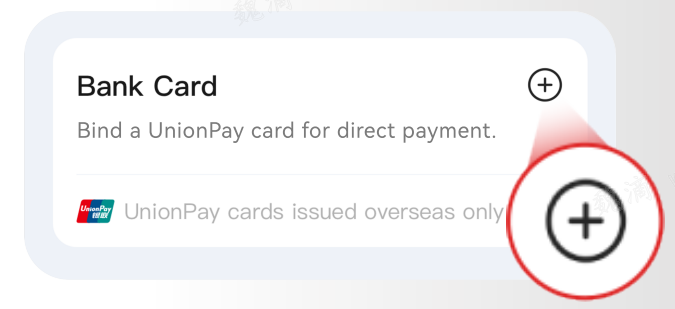
The wallet offers two routes. Tour Balance is a prepaid balance that the official guide says can be topped up with Visa, Mastercard, JCB and Diners Club cards. The Bank Card option is for an overseas-issued UnionPay card used for direct payment.
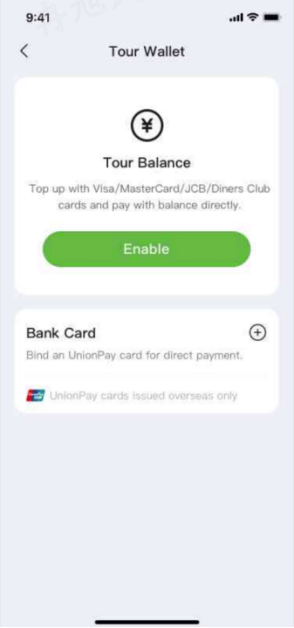
Limits, card availability, exchange rates and any fee displayed on the final confirmation screen depend on the app, country and card issuer. Read that screen before confirming.
Step 5: Top up or bind a card
Option A: top up Tour Balance
Tap Top up, choose or enter the amount in CNY, select a supported card and finish your home bank’s security confirmation. Start with a small amount and complete one test payment before adding more.
Option B: bind an overseas UnionPay card
Tap the + beside Bank Card and enter the number of an overseas-issued UnionPay card, normally beginning with 62. Complete the issuer verification. A Visa or Mastercard is used for Tour Balance top-up; it is not the same as directly binding an overseas UnionPay card.
Step 6: Pay at shops, restaurants and markets
There are two everyday payment methods:
- Pay: tap Pay and show your live payment code when the cashier has a scanner.
- Scan: tap Scan, scan the merchant’s QR code, enter the amount in CNY, verify the merchant name and confirm.
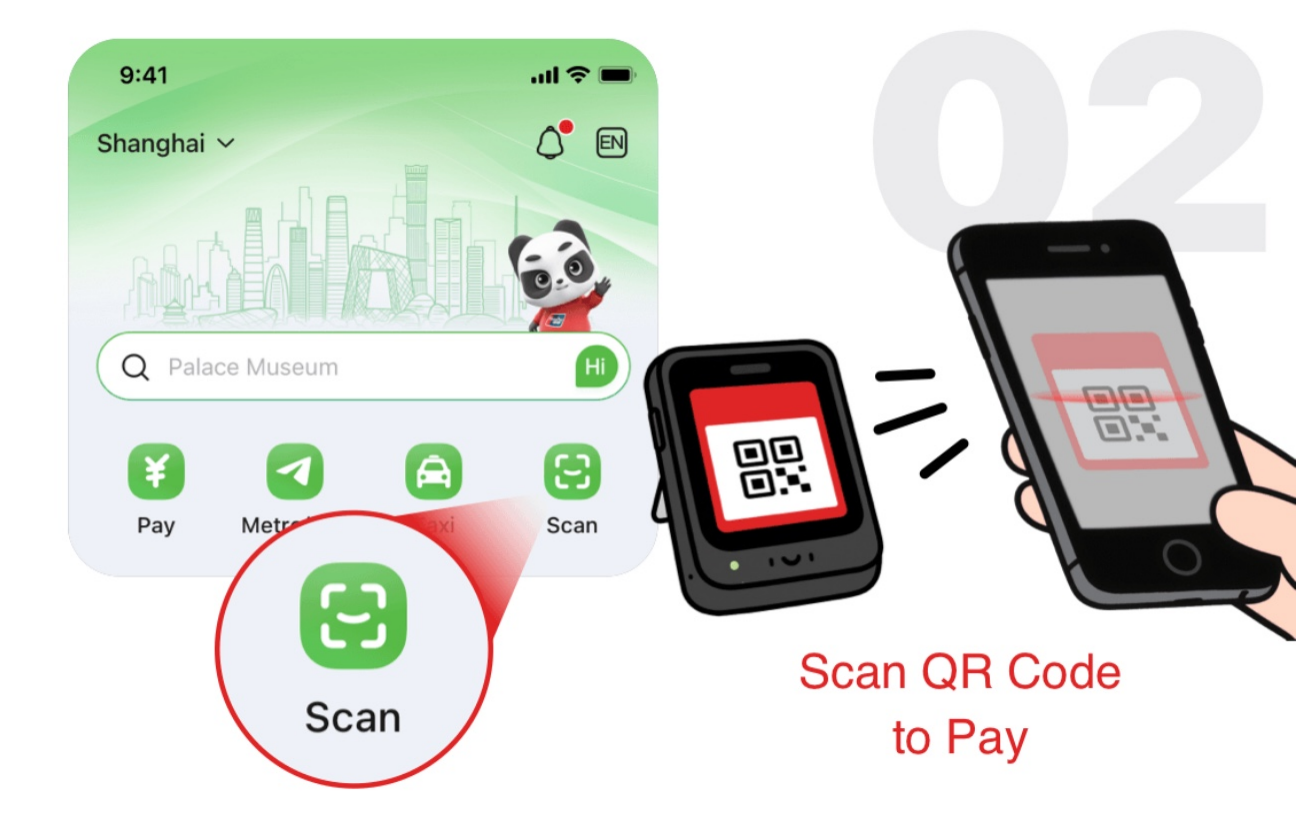
UnionPay merchant codes are the most reliable match. Official guidance also lists compatible WeChat Pay and Alipay merchant codes, but a personal peer-to-peer collection code may fail. Do not send money when the merchant name or amount is wrong.
Step 7: Pay inside Chinese apps
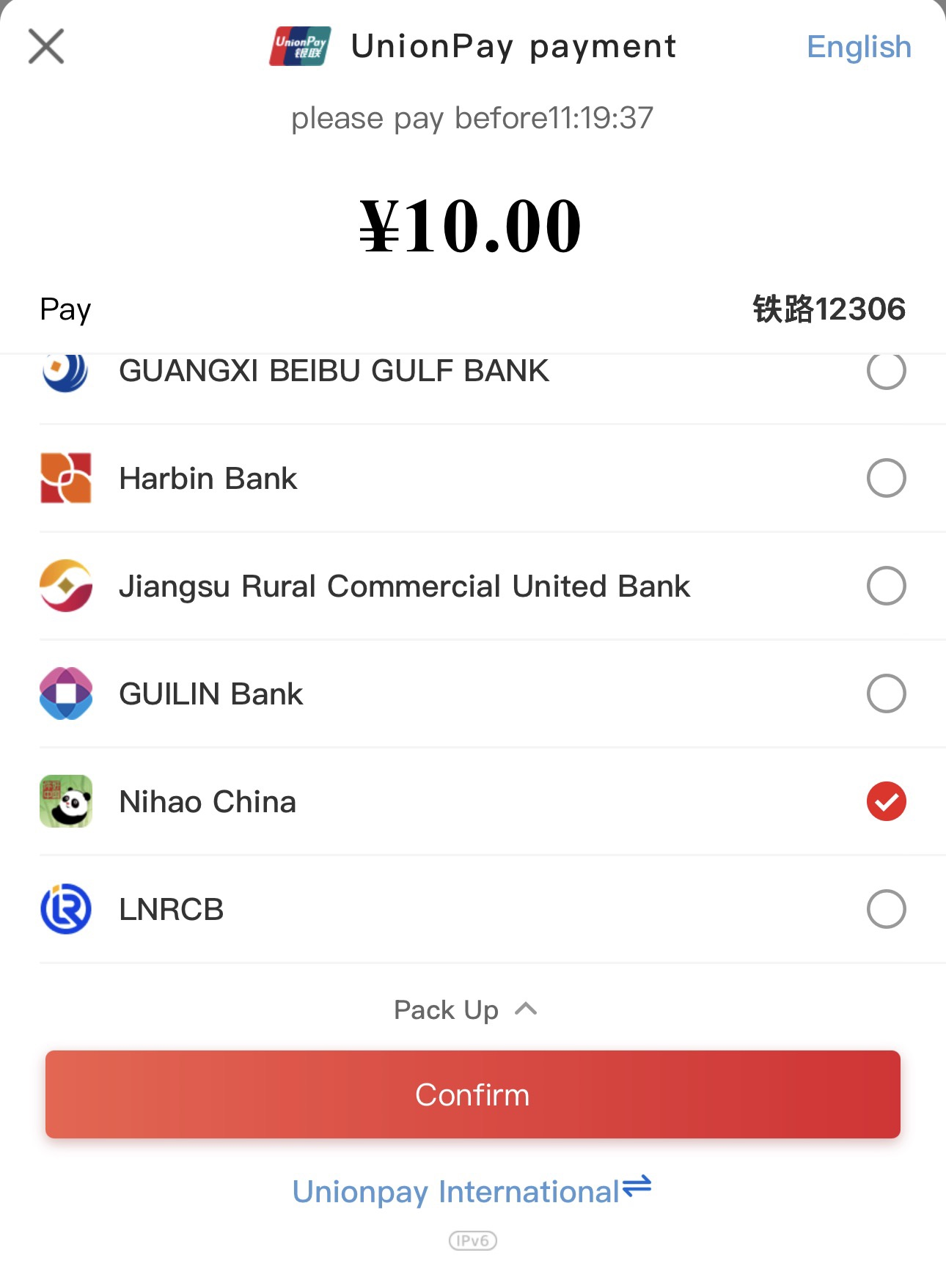
At checkout in a supported Chinese app, select UnionPay or UnionPay APP. On the UnionPay authorization screen, choose Nihao China, re-check the amount and confirm. China’s official tourism website says the service supports more than 200 apps across trains, car rental, food delivery, hotels and shopping, although availability still depends on the merchant and app version.
Step 8: Ride the metro and bus
Tap Metro/Bus, confirm your current city at the top and accept the local transit agreement if requested. Choose metro or bus and place the live QR code flat over the scanner with the screen brightness turned up. On metro systems, scan at both entry and exit.
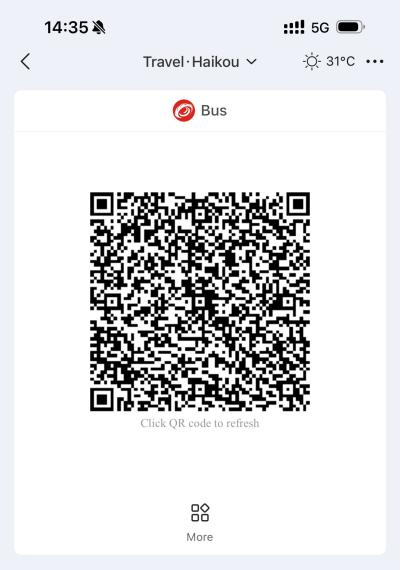
Official guidance states that metro codes cover 43 major cities and bus networks extend to more than 1,760 cities and county-level areas. Coverage can still vary by route, gate or local network. If the code is unavailable, buy a single ticket and try again after checking the city and network.
Use the built-in travel tools
The home screen also provides an English map for nearby ATMs, bank outlets and currency exchange points. Translation supports Chinese, English, Japanese, Korean, Russian and Arabic, while the currency converter covers more than 160 currencies. Other entries include Tax Refund, Visa Services and Emergency Contacts.
Tax-refund eligibility and the actual refund method depend on the participating shop, minimum spend, city and departure port. Treat the app as a starting point and keep invoices, the tax-refund form and purchased goods available for customs inspection.
Before leaving China: check the remaining balance
Open Tour Wallet and open Transactions. If a refund or account-management option is available under the three-dot menu, follow the current on-screen instructions to return unused Tour Balance to the original card. Processing time and exchange-rate differences depend on the issuer. Do not close the wallet before a pending refund is complete.
Common problems and quick fixes
| Problem | What to try |
|---|---|
| No verification code | Check country code and roaming, wait before requesting again, then switch to email or Apple ID. |
| Passport verification fails | Retake the full information page with no glare, blur, fingers or cropped edges. |
| Card is rejected | Ask the issuer to allow overseas online payments and 3-D Secure, or use another supported card. |
| Merchant QR fails | Ask for a UnionPay merchant code or let the cashier scan your Pay code; do not repeatedly try a personal code. |
| Transit code unavailable | Check city, network and the local agreement; buy a single ticket as backup. |
| Phone is lost | Freeze the linked card with your bank and contact Nihao China support through the official store listing or app. |
What Nihao China does not replace
Nihao China is strongest for UnionPay payments, metro and bus travel, and essential visitor tools. Keep Alipay or WeChat Pay for local mini-programs and DiDi for ride-hailing. A physical bank card and some RMB cash remain useful for hotel deposits, rural areas or technical outages.
Official sources
- Official Tourism Website of China: Nihao China step-by-step guide
- Official Tourism Website of China: app download page
- Apple App Store listing by China UnionPay
- Google Play listing by China UnionPay
App interfaces, limits and supported services can change; the confirmation screen inside the official app is authoritative for each transaction.
Local Planner Notes
Treat every app guide as a snapshot of the current interface. Button names, card eligibility and wallet functions can change, so the official app listing and in-app notices take priority over screenshots. Complete registration on a secure connection, keep a second payment method and avoid transferring more money than you expect to use immediately.
Frequently Asked Questions
How much time should I allow for using the Nihao China app?
Set it up before depending on it, then allow time after arrival for identity, card or wallet steps that may require a stable connection.
Who is this plan most suitable for?
It is useful for eligible foreign visitors who want another payment and transport option, but it should not be the only backup.
Does the season change the plan?
The app is not seasonal, although functions, eligibility and interfaces can change with updates.
What should be arranged before the trip?
Prepare the passport, a working email or phone method, an eligible payment card and an alternative payment option.
Can this be included in a private itinerary?
Use the app as part of a wider arrival setup that also includes maps, transport, cash and emergency contact details.
Related Planning
Turn the Idea Into a Workable Route
Share your dates, arrival and departure cities, preferred pace and the experience that matters most through Plan My Trip. VeroTrip can compare the practical route options and prepare a written proposal with confirmed inclusions and limitations.